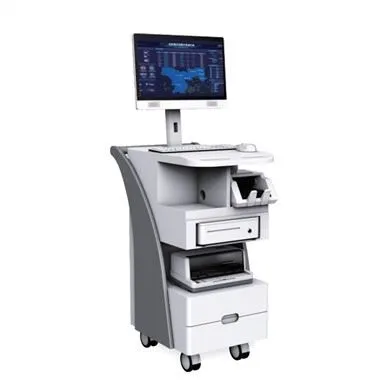
The so-called industrial computer is born for industry. It can deal with various complex industrial environments, can run for a long time, can maintain stable performance, and has a long service life. For machinery and equipment, regular maintenance work is required. In order to ensure its normal operation, how to do the daily maintenance work of the industrial computer? Specifically, the following points need to be done:
One, the chassis
Industrial control power supply: Minimize the entry of dust and prevent excessive humidity.
Passive backplane: Provides power for various boards. Three points should be paid attention to in its daily maintenance: you can't remove and insert the board when the backplane is live. Do not use too much force when plugging and unplugging the board. When cleaning the backplane with alcohol, etc., Take care to prevent the tool from scratching the bottom plate. Do not accumulate dust in the slot, otherwise it is easy to contact poorly and short-circuit. The metal feet in the slot are aligned without bending, so as to avoid various phenomena such as no display when starting up, no board card found, and crash.
Two, industrial computer motherboard
It is specially designed for long-term operation in high and low temperature special environments. It should be noted in its use: it cannot be plugged in or out with power to avoid damage to the jack; the jumper on the motherboard cannot be jumped casually, otherwise it will be due to different models. The motherboard's voltage settings are different and cause damage; the dust on the motherboard should be cleaned regularly. Do not use alcohol or water. Use a dry brush or vacuum cleaner to suck up or blow off the dust; keep the memory skewer on the motherboard clean.
Three, hard disk, optical drive, floppy drive
Hard disk: Do not disassemble the hard disk at will, avoid vibration and squeeze; avoid frequent sudden shutdown to avoid data loss from damage to the hard disk track; do not touch the jumper device on the hard disk at will; when transporting, be sure to use antistatic plastic bags or sponges to prevent shock The pressure material is fixed, and virus is checked frequently to prevent intrusion; when there is energy-saving function in the operating system, it should be used reasonably to prolong the service life of the hard disk.
Optical drive: Do not open the door of the optical drive at will during use to prevent dust from entering the optical drive. Do not shake, distort, or beat the optical drive during use. The data cable should be connected smoothly to ensure that the optical drive reads the disk smoothly.
Floppy drive: Do not put bad or poisonous disks into the floppy drive. Do not use inferior and moldy floppy disks to prevent scratching the head. When the floppy drive is reading and writing to the disk (the indicator light of the floppy drive is on), do not remove the disk forcibly to prevent damage to the head or offset of the head, which may cause normal read and write operations.
Four, various boards (graphics cards, sound cards, network cards, etc.)
Mainly dust-proof, straight plug can not be bent, and can not be plugged in when power is on.
The above is the work required for the maintenance of industrial computer, mainly from the chassis, motherboard, hard disk, optical drive, floppy drive and various boards to do targeted maintenance work.