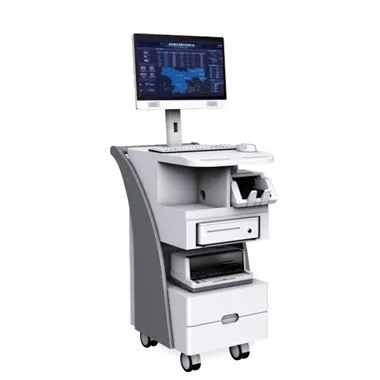
Precauzioni per l'uso dello schermo LCD:
1. Avoid pressing, squeezing, bumping, falling, or smashing
Among them, pressing, squeezing, and bumping are the three most overlooked points in most users' normal use. Falling and smashing are not common. After all, no one would throw such valuable items as tiles.
Lo schermo LCD è composto da una combinazione di riflettori multistrato, riflettori, piastre filtranti e pellicole protettive. Questi materiali sono molto fragili e facilmente danneggiabili. Pertanto, una volta che la forza esterna viene applicata su di esso in modo eccessivo, causerà danni irreparabili al display LCD. , Come sfocatura del display, increspature dell'acqua e altri fenomeni, che influiscono sull'effetto di output del display. Se ciò causa la rottura dello schermo LCD, puoi solo cambiare lo schermo, che è così costoso da rappresentare quasi 1/3-1/2 del prezzo dell'intero notebook.
2. Be careful when turning on and off the LCD screen
In order to reduce the weight of the whole machine, many ultra-thin notebooks will make the LCD screen very thin and soft. At this time, the method of switching is particularly important. The correct switching method can protect the LCD and the fixed shaft from damage caused by uneven force, and can also avoid the phenomenon that one side cannot be sealed due to the improper switching method for a long time.
3. Reasonably arrange the use time and adjust the display brightness
Compared with the CRT, the LCD screen has a much shorter service life, and the display will appear yellow in about two years. Its display lighting comes from the back light tube installed in it. After a period of use, the brightness of the back light will gradually decrease. This is the source of the yellowing of the display. In addition, long-term high-load use will cause the liquid crystal particles to age and fail and cause dead spots. Therefore, if the fatigue is excessive in use, it will inevitably accelerate the appearance of these aging phenomena.
4. Take care to prevent the LCD screen from being scratched
There is a habit of many computer users, that is, they like to click on the computer screen with their fingers, but for LCD screens, this is a very bad habit.
First of all, doing this will leave some ugly fingerprints on the surface of the LCD screen, which are as difficult to clean as oil stains. Another very important point is that your fingernails may leave a permanent mark on the LCD screen inadvertently. Although this does not affect the use, but it is very aesthetic.