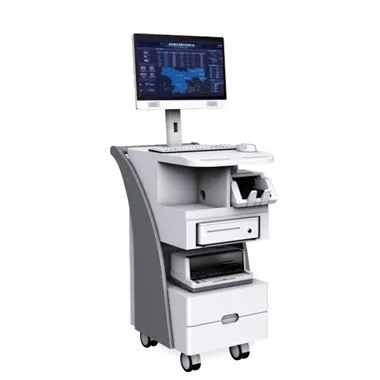
An industrial computer is a computer used in industry. It can adapt to a variety of complex and harsh environments. Therefore, it has a good market prospect in the industry. What are the measures for the maintenance of its industrial computer? First of all, we need to understand the basic composition of the industrial computer in order to better maintain it. Let's give you a brief introduction below, let's take a look.
One, chassis
Includes industrial control power supply, passive backplane and fan in the chassis. Industrial control power supply: It serves for N hours of continuous disconnection of the machine, so its performance is better. The main thing to pay attention to is to minimize the entry of dust and prevent dust from affecting the operation of the fan. Prevent instantaneous power failure. A momentary power failure and a sudden call will often generate an instantaneously high voltage, which is likely to "burn" the computer, and voltage fluctuations (too low or too high) will also cause damage to the computer. Therefore, the power supply should be equipped as much as possible. In addition, it should be anti-static and anti-lightning.
Passive backplane: It provides power for various boards (including cards, graphics cards, sound cards, network cards, etc.). It should pay attention to three points in its daily maintenance: you can't remove the board when the backplane is powered. Do not use too much force or too much force when the card is used. When cleaning the bottom plate with alcohol, etc., pay attention to prevent the tool from scratching the bottom plate.
No dust can accumulate in the slot, otherwise it will cause poor contact or even short circuit. Whether the metal feet in the slot are aligned and whether they are bent or not, otherwise it will affect the operation of the board in the system, which will cause various phenomena such as no display when the board is turned on, the board cannot be found, and the system crashes. Fan: The fan in the industrial control box is specially designed for the industrial computer. It blows air into the chassis to reduce the temperature in the chassis. It should be noted that: Whether the power supply is connected to the plug, the filter outside the fan should be cleaned regularly (once a month) to prevent excessive dust from entering the case.
Two, hard disk, optical drive, floppy drive
Hard disk: Do not disassemble the hard disk at will, avoid vibration and squeeze. Try not to turn off the power of the computer while the hard disk is running. Sudden shutdown will cause damage to the hard disk tracks and data loss. Do not touch the jumper device on the hard disk at will. When transporting, it must be packed in antistatic plastic bags or fixed with shock-proof materials such as sponges. Check for viruses frequently to prevent corrosion. When there are energy-saving features in the operating system, use them as reasonably as possible to extend the life of the hard disk.
CD-ROM drive: Do not open the CD-ROM door at will during use. Do not use damaged or pirated CDs. Prevent dust from entering the CD-ROM drive. Do not shake, distort, or beat the CD-ROM drive during use. The data cable should be connected smoothly to ensure that the optical drive reads the disk smoothly.
Floppy drive: Do not put bad or poisonous disks in the floppy drive. Do not use inferior and moldy floppy disks to prevent scratching the head. When the floppy drive is reading and writing to the disk (the indicator light of the floppy drive is on), do not remove the disk forcibly to prevent damage to the head or offset of the head, which may cause normal read and write operations.
3. Scheda madre (scheda) La scheda madre del computer industriale è progettata per il funzionamento-a lungo termine in ambienti speciali ad alta e bassa temperatura. Va notato nel suo utilizzo che non può essere collegato e scollegato (barra di memoria, mouse dietro la scheda, tastiera, ecc.), collegare e scollegare l'alimentazione causerà danni al jack, inutilizzabile o addirittura danni alla scheda madre . Il ponticello sulla scheda madre non può essere saltato casualmente, si prega di controllare il manuale o il manuale utente, altrimenti verrà danneggiato a causa delle diverse impostazioni di tensione dei diversi modelli di schede madri.
The dust on the motherboard should be cleaned regularly. Do not use alcohol or water. Use a dry brush, vacuum cleaner or leather tiger to suck up or blow off the dust. Keep the memory skewer on the motherboard clean and free of broken or crooked feet. The golden fingers inserted into the passive backplane under the main board should be clean, and they should be tightly inserted and inserted in place on the backplane.
Four, various boards (graphics cards, sound cards, network cards, etc.)
The board card should be protected from dust, the pins should be intact, the board should not be distorted when inserted vertically, and the connectors on the external socket of the board can not be plugged or inserted under power.
It can be seen that the maintenance of the industrial computer is mainly the maintenance of the industrial computer's chassis, hard disk, optical drive, floppy drive, motherboard, and various boards. As long as the cleaning and maintenance are properly done, the life of the industrial computer can be guaranteed to be normal.